Getting Started
Now that we've imported the library into our project, let us create our first simply ESP using Twilight!
Let's start by taking a look at the API that Twilight returns when called.
The API
Quick Summary
| Property | Type | Description |
|---|---|---|
| Drawings | { [any] : { [any]: Drawing } } | The Table That Will Contain Subtables of all drawings Twilight uses. |
| _connections | { [any] : RBXScriptConnection } | Contains all Connections to ensure proper destruction and memory saving. |
| Settings | TwilightSettings | Configuration for the ESP. |
| Enums | TwilightEnums | List Of Easy-Access Enums For Easier Configuration Of The ESP. |
| Method | Arguments | Returns | Description |
|---|---|---|---|
| SetOptions | options : TwilightSettings | nil | Sets the ESP configuration with defaulting |
| Unload | nil | nil | Destroys All Twilight Drawings. |
View the rest in the API References
Continuing...
And there are alot more methods and properties, but let us focus on these key well, returns.
We have a settings table (with the TwilightSettings property list) that controls what runs and what doesn't in our ESP, as well as color choices.
So let's start with that!
-- Assuming you have the library called as Twilight somewhere above this snippet.

Twilight:SetOptions({
    Enabled = true, -- Enables Player ESPs

    currentColors = {
        generic = {
            Box = {
                Outline = { -- The Visible And Invisible Colors Do Not Apply Here. Visible Will Be The Default When Visible Checks Are Off.
                    Visible = Color3.new(1, 1, 1),
                    Invisible = Color3.new(1, 1, 1),
                },
                Fill = {
                    Visible = Color3.new(1, 1, 1),
                    Invisible = Color3.new(1, 1, 1),
                },
            },
        }
    },

    Box = {
        Style = Twilight.Enums.BoxStyle.Normal,
        Enabled = true,
        Filled = {
            Enabled = true,
            Transparency = 0.6,
        },
        Thickness = 1, -- in pixels
    },
})
You do not need to copy this script, this is just a quick example.
This should set our ESP to have boxes, with them being set to white.
If you've done everything right so far... this should popup.
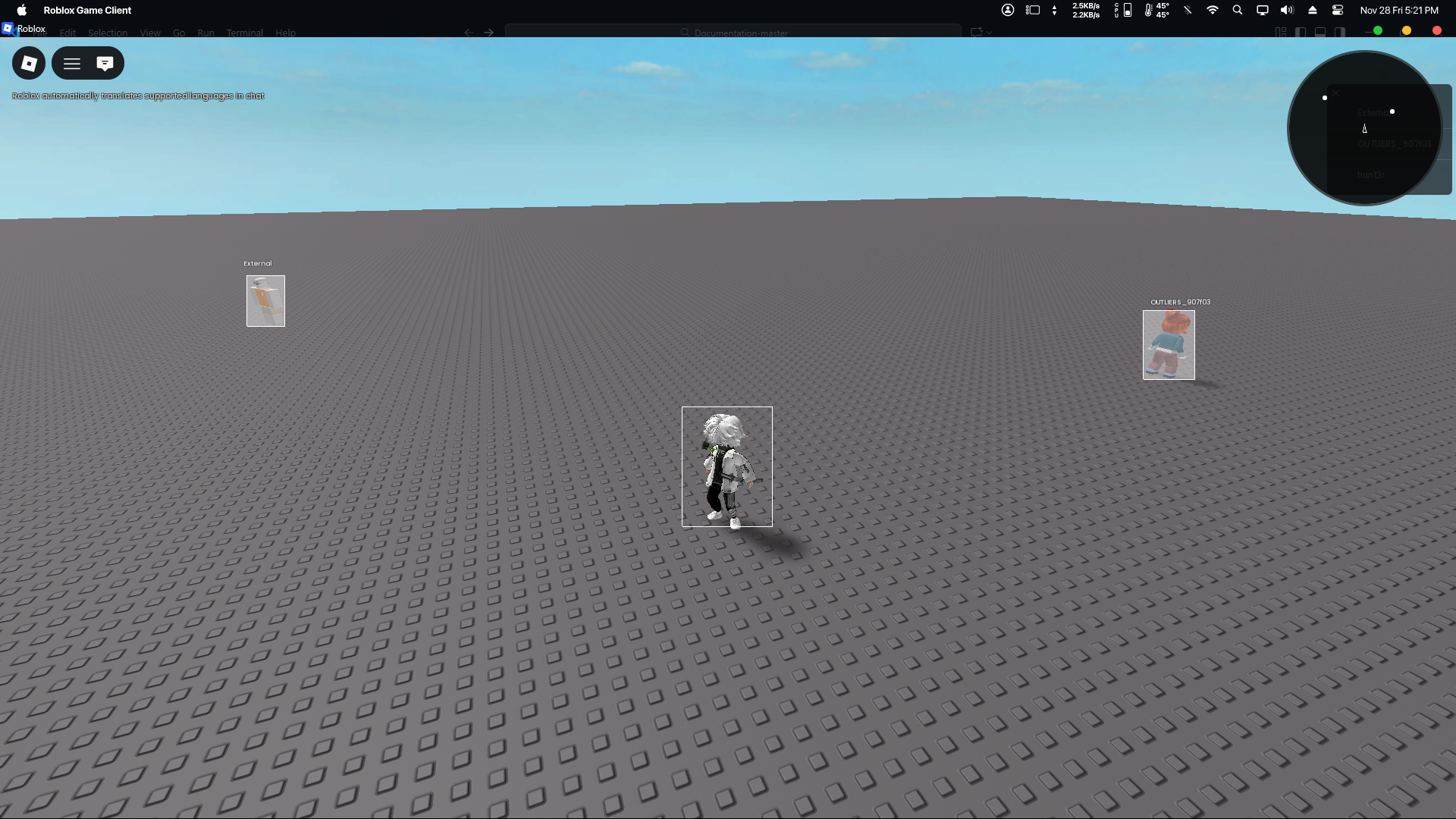
The Radar May Or May Not Show Up For You, it is fine either way.
You've completed the quick start guide now!
Let's continue the rest of our ESP Script by heading to the API Reference.
I sadly won't be going step by step anymore, but I hope you have gotten the gist of how Twilight works! Cya later.
Popular Pages
API Reference pages with the most popular or important features/notes.
Full Copy And Paste
local Twilight = loadstring(game:HttpGet("https://raw.nebulasoftworks.xyz/twilight"))()

Twilight:SetOptions({
    Enabled = true,

    currentColors = {
        generic = {
            Box = {
                Outline = {
                    Visible = Color3.new(1, 1, 1),
                    Invisible = Color3.new(1, 1, 1),
                },
                Fill = {
                    Visible = Color3.new(1, 1, 1),
                    Invisible = Color3.new(1, 1, 1),
                },
            },
        }
    },

    Box = {
        Style = Twilight.Enums.BoxStyle.Normal,
        Enabled = true,
        Filled = {
            Enabled = true,
            Transparency = 0.6,
        },
        Thickness = 1, -- in pixels
    },
})